0-1 Creating the first DevSecOps platform
- Scanners
- 1 → 4
- Database of vulnerabilities
- 0 → 1
- New capabilities on the pipeline
- 3
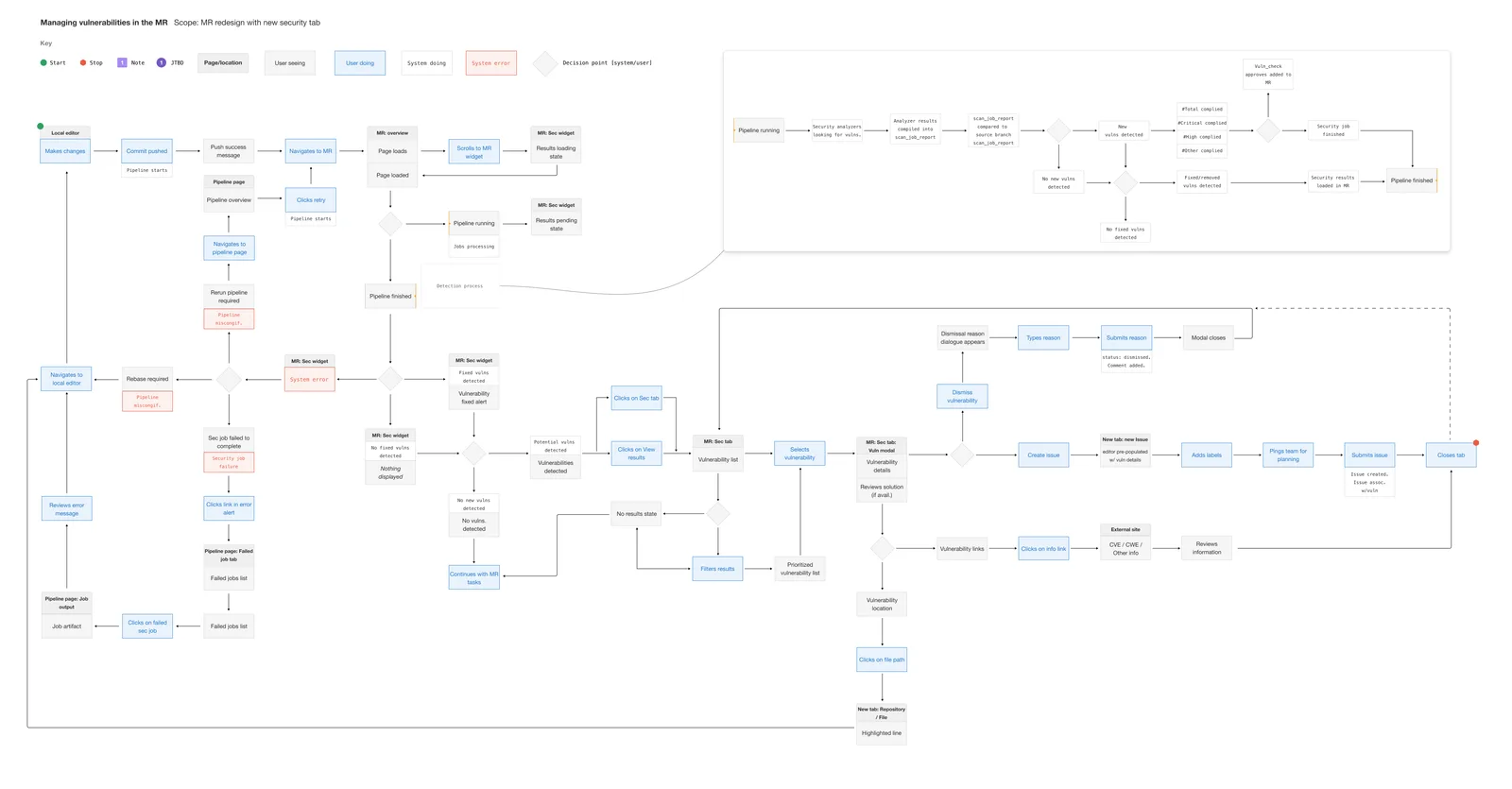
A vulnerability was found by the pipeline and lost when it finished.
Findings were not stored, so they could not be tracked.
GitLab’s security capability was basic vulnerability detection through open-source SAST tools. A vulnerability was transient: not stored in a database, with no audit of what had been done about it. Managing them was inefficient.
The company was expanding its security offering with Dependency Scanning, DAST, and a proprietary SAST tool. That needed a vulnerability management system that supported more than one detection method, tracked findings properly, and fit into GitLab’s workflow.
Design a Vulnerability Object that supported multiple detection methods and scaled over time, used GitLab’s existing components, and gave security teams structured tracking, audit logs, and actions of their own.
I broke the work into themes so the team could do as much in parallel as possible. Each theme ended in a launch.
Theme 1
Define the schema
- Schema diagram
- State and status diagram
- Object flow diagram
- Security design language
Launch 0.1
Theme 2
Integrate into the existing system
- The vulnerability object’s design system: page, drawer, table
- Validate, collaborate, iterate
Launch 1.0
Theme 3
Enterprise enhancements
- Validate
Launch 1.1
I ran a JTBD study with five internal security professionals and ten external users to learn how vulnerabilities were being managed and what needed to change. I sat in on AppSec team meetings, webinars, and discussions to understand industry practice. The research made the pain points clear and informed the design of the system.
- Internal security professionals
- 5
- External users
- 10
- JTBD study
- 1
Half of a vulnerability was already an issue.
With the research in hand I worked with engineers and the AppSec teams on an extensible schema. The existing one only held data from a few open-source analyzers. Security teams needed to override a severity, keep an audit log of actions, and attach evidence to a finding, and the schema had to hold all of that and stay adaptable for the next scanner.
An issue is open or closed. That was not enough for a vulnerability: a security team needs to know whether a finding has been looked at, and if it was closed, why. So under each state sits a status, and each status is marked by who can set it. We were able to extend the same model to incidents with slight modifications.
At the same time I worked with engineering on how the object fit GitLab’s existing issue tracking without disrupting current workflows. That changed how vulnerabilities were stored and linked to projects. Mapping the object’s fields onto the issue page was how we aligned with stakeholders.
User testing confirmed that vulnerabilities needed a workflow of their own, separate from standard issues. On that feedback we added an audit trail, so a security team could see how a finding’s status had changed over time.
Inside GitLab, the assumption was that a vulnerability was just another issue type. User testing showed it needed a workflow of its own.
From the start, security workflows needed a design language that set them apart from the rest of GitLab. I started a security-specific icon system that fit the existing design system, and added visual indicators for severity, status, and security actions, so the critical information was easy to find.
A page, a drawer, and a table.
With the foundation in place we built a dedicated vulnerability management page. The original list became an interactive table with bulk actions, so a team could work through a large number of findings at once. This is the page for one finding, and what a person can do on it.
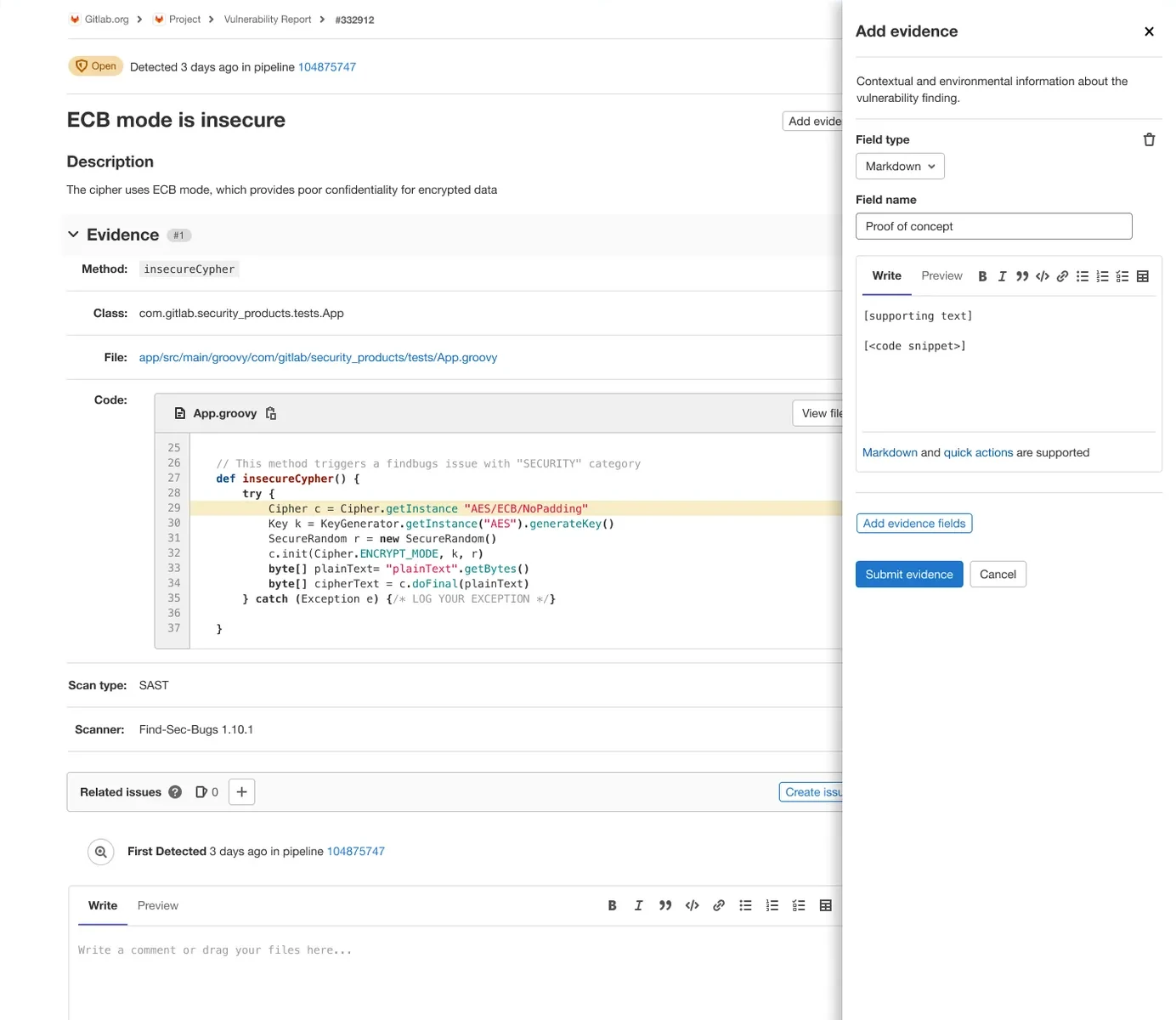
The vulnerability page. One record per finding: what the pipeline found, and what a person did about it.
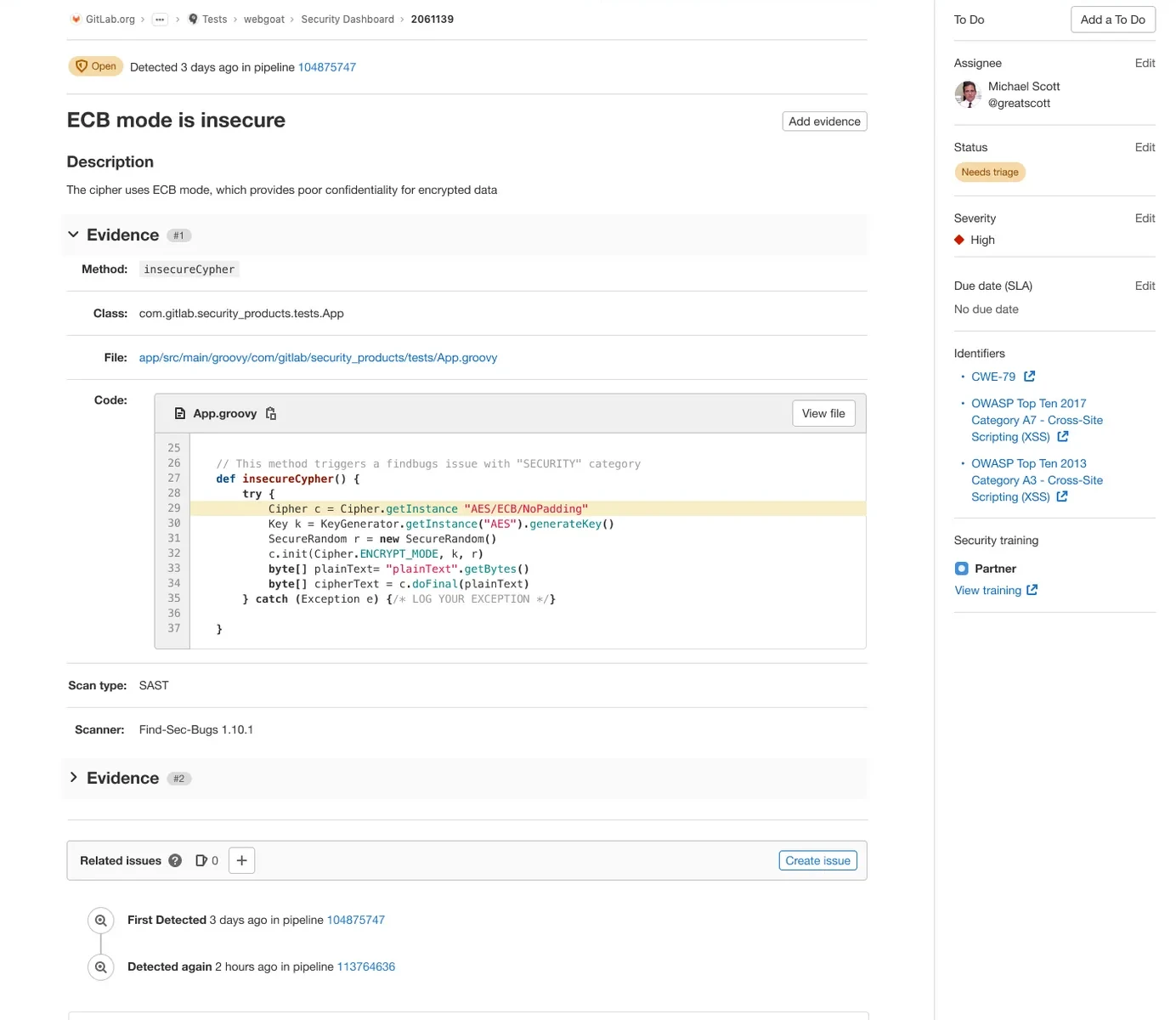
State, and when it was last detected. The pipeline sets both.

The finding, named and described by the scanner, with a way to add evidence by hand.

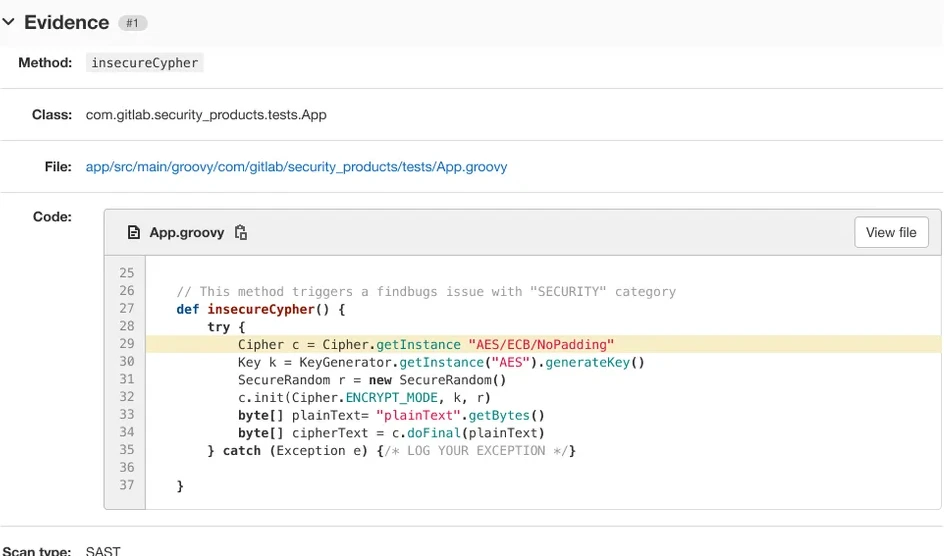
Evidence: the method, the class, the file, and the lines of code, straight from the scan.
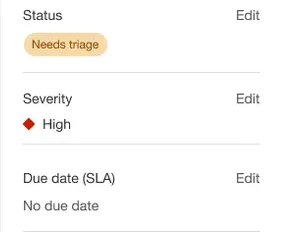
Status, severity, and a due date. These are a person’s decisions, and each can be changed, with a reason.
Every detection, in order. The audit trail starts here.

Laid flat, the record reads top to bottom: what was found, what was decided, what has happened since.
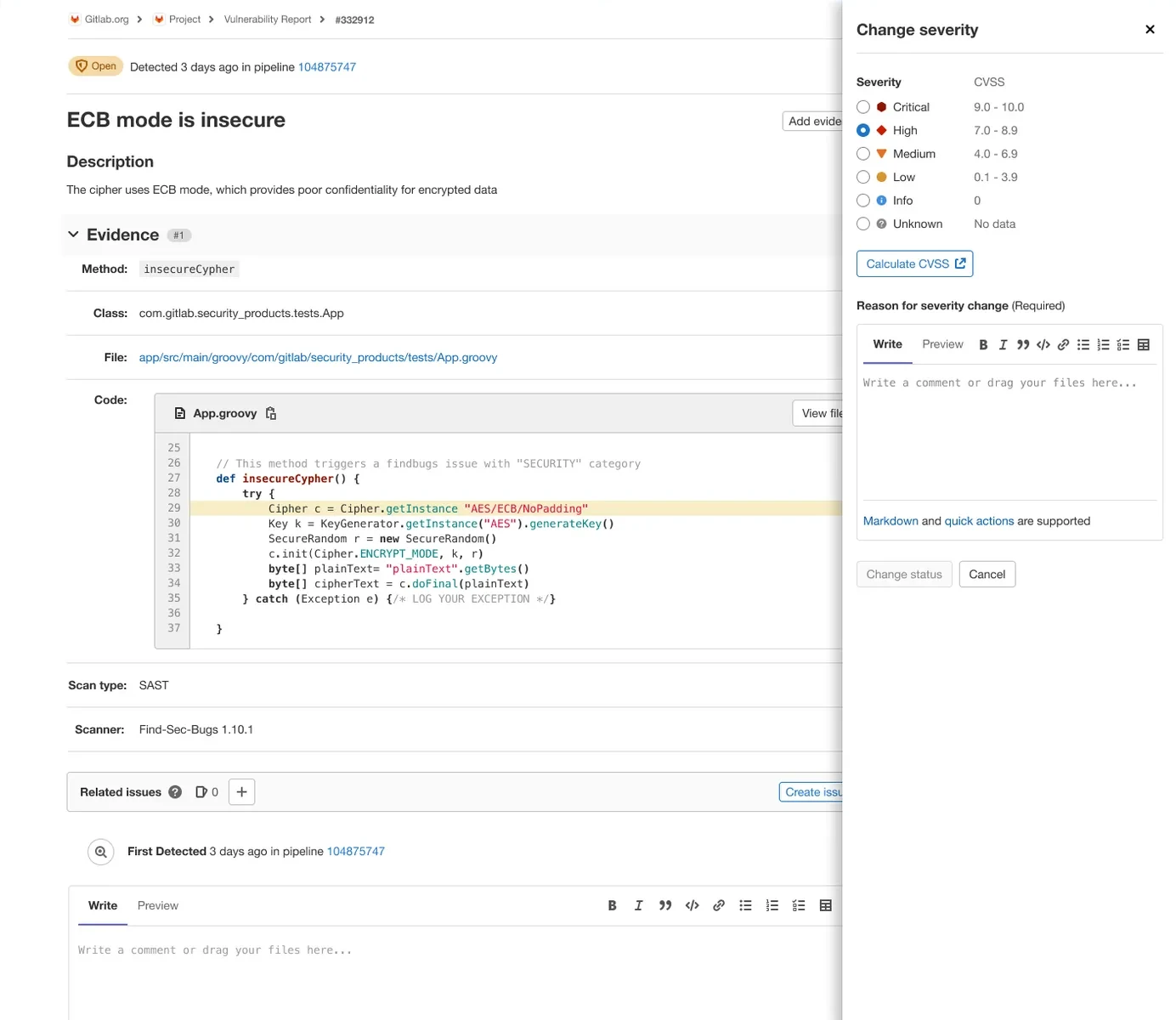
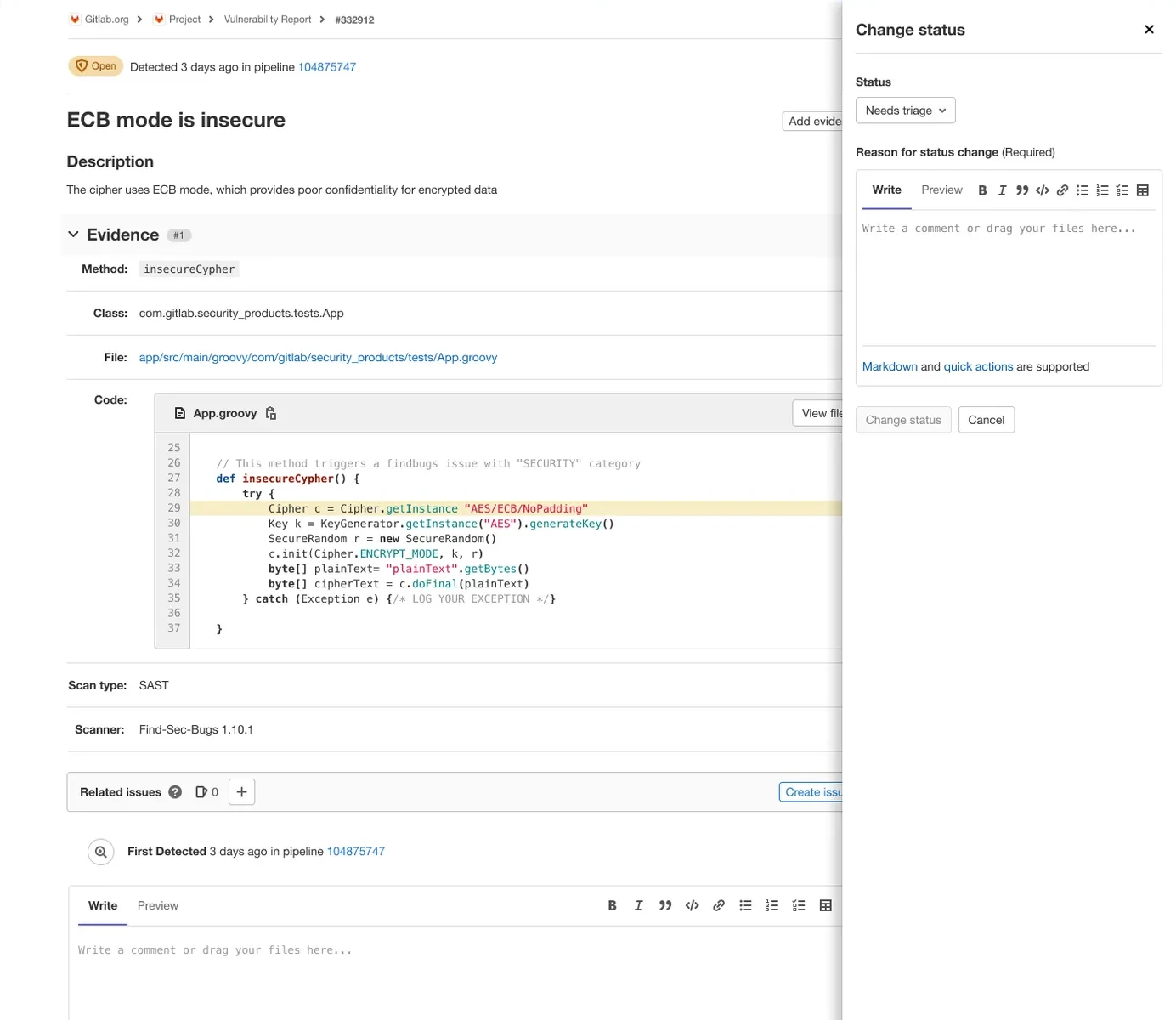
Back on the page, each decision opens a drawer.
Changing severity: the six levels against their CVSS ranges, and a reason is required.
Changing status: the same, with the reason going on the record.
Adding evidence: fields a person adds to what the scanner found.
Every one of those is recorded in the activity log as a note.
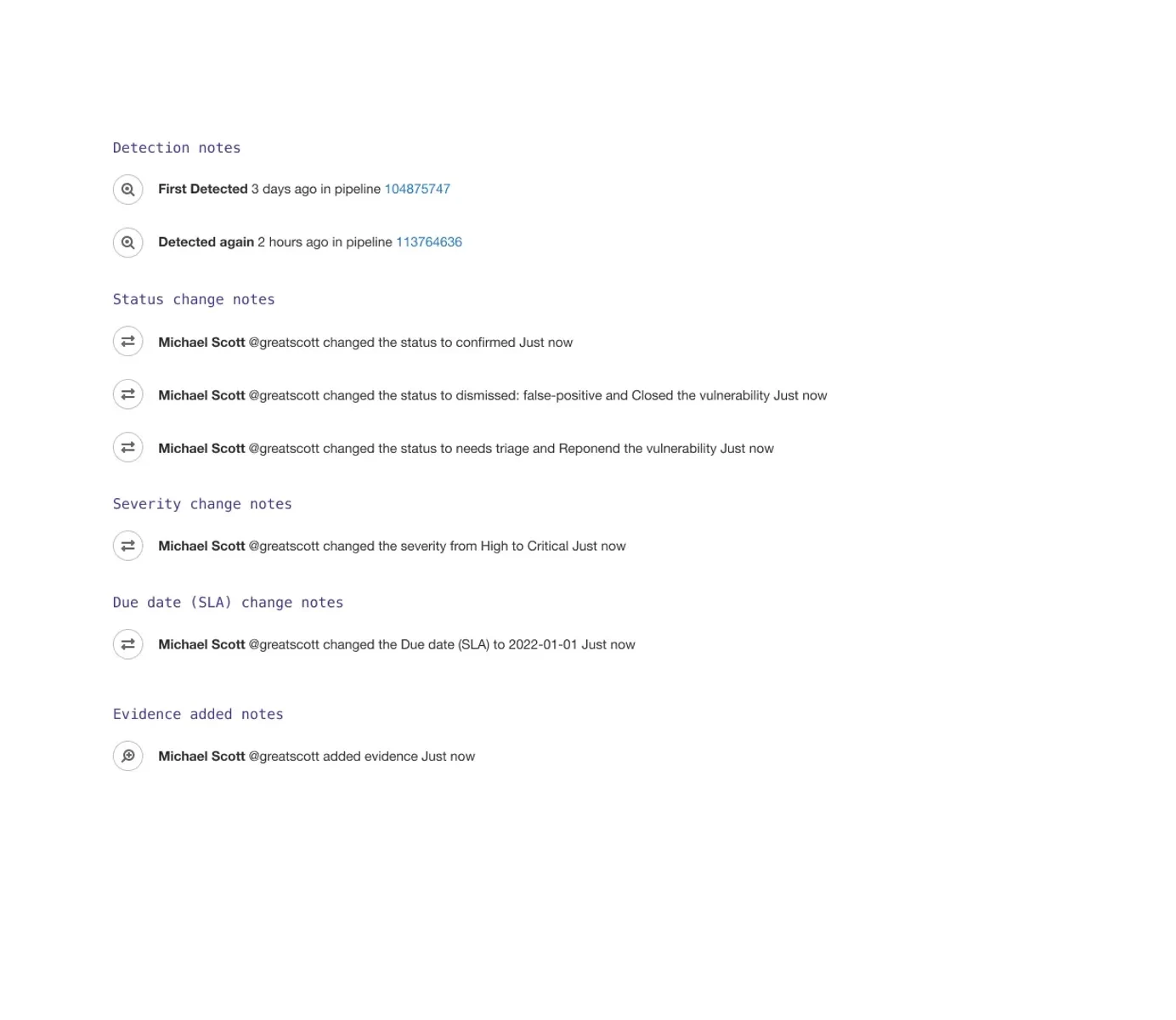
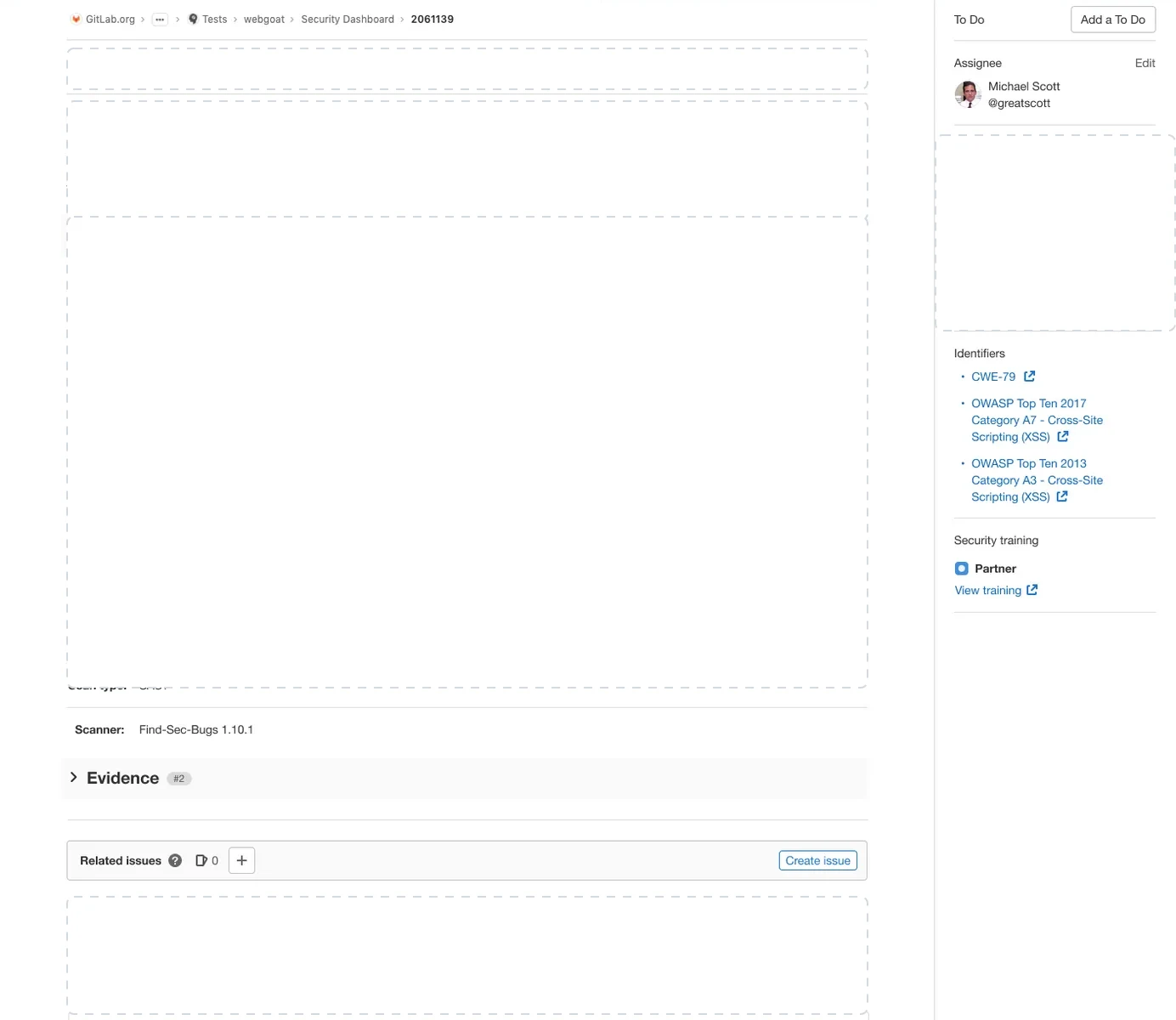
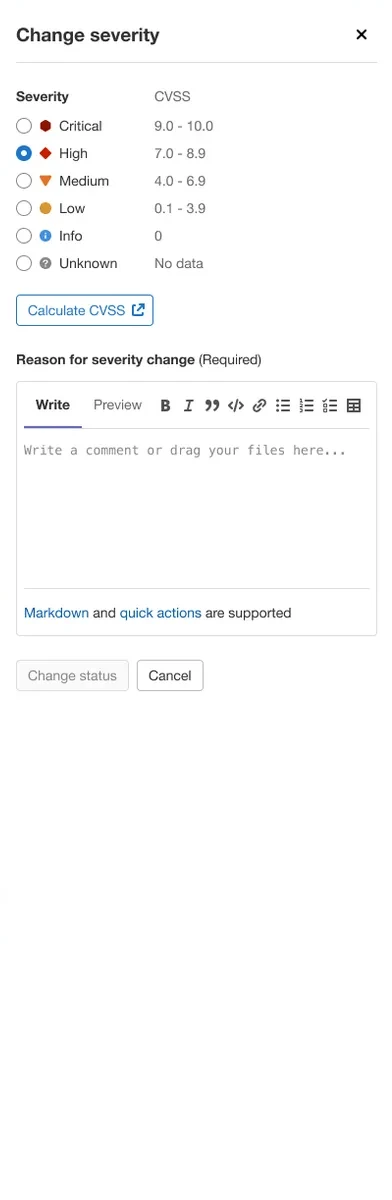
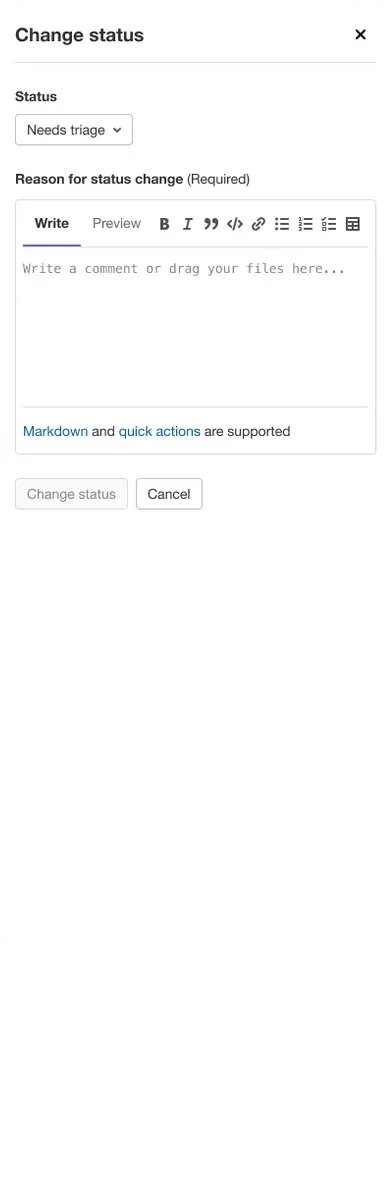
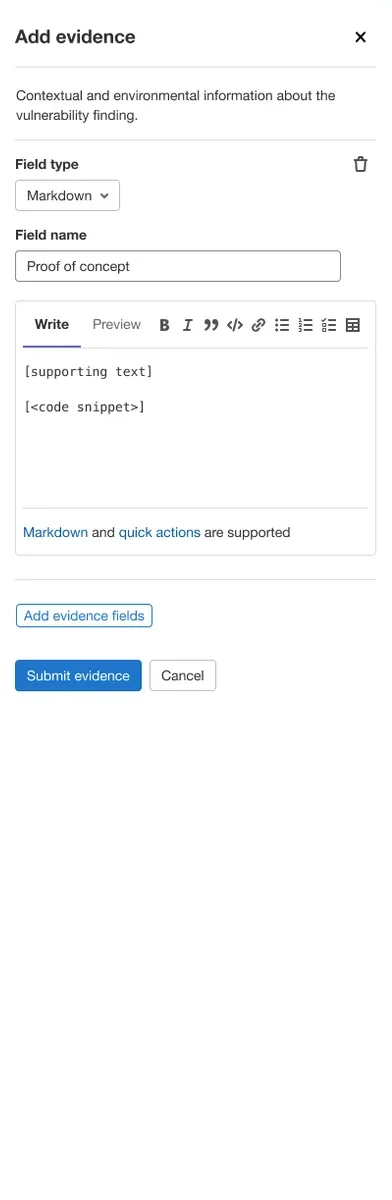
The vulnerability page for one finding, cropped past GitLab’s chrome, tips into an isometric view and five parts lift off it one at a time, leaving empty slots behind: the state line, the finding, the evidence, the decisions in the sidebar, and the activity. The page falls away and the parts settle flat in a column, then drop back in. A drawer then opens over the page three times: change severity, with six levels against CVSS ranges and a required reason; change status, with a reason; and add evidence, with fields to fill. Finally the activity log takes the page, listing detection notes, status change notes, severity change notes, due date change notes, and evidence added notes.
To keep the roadmap on what users needed, I ran a Kano study across the candidate features and prioritized them by impact and expectation. The dashboards and action workflows were refined over several iterations on that feedback.
The first true DevSecOps platform.
- Net ARR over two years
- $20M
- Top-tier subscribers
- 500 → 28,000
Security integrated into the development lifecycle at scale. Security professionals recognized GitLab as a viable enterprise security solution.
What I would have done differently.
Start with organization-level security considerations before designing for asset-level security.
Collaborate earlier with the team responsible for project management, so vulnerability tracking and the wider issue management stay aligned.