Policy-Driven Code Reviews
- Findings in the way, in this merge request
- 16 → 6
- Policy violations, first and whole
- 6
- Folded, one click open
- 10
Sorting by severity did not tell a reviewer what to do.
Hundreds of findings, ranked by severity, and a cap coming.
Security findings in a merge request were listed by severity alone. Developers were overwhelmed by hundreds of results and could not tell the critical ones from the rest. Security teams feared that important issues were getting lost in the noise.
It became urgent when GitLab’s engineers planned to cap the number of findings shown in a merge request, to keep it fast. Without a better way to choose which findings to show, the cap would hide some at random, and a business-critical vulnerability could be merged without anyone seeing it.
Cut the number of findings a developer sees in a merge request, and make sure a business-critical vulnerability is never hidden by a technical limit.
Instead of showing every finding by severity, tie each finding to the policy it violates. Filter out the ones that violate nothing, and show the ones that affect compliance and security first.
I led contextual inquiries with developers, security engineers, and compliance officers. Developers were not ignoring security findings out of neglect. They were overwhelmed. Severity was misleading the security teams too: some critical findings were low risk, and some medium findings violated key policies.
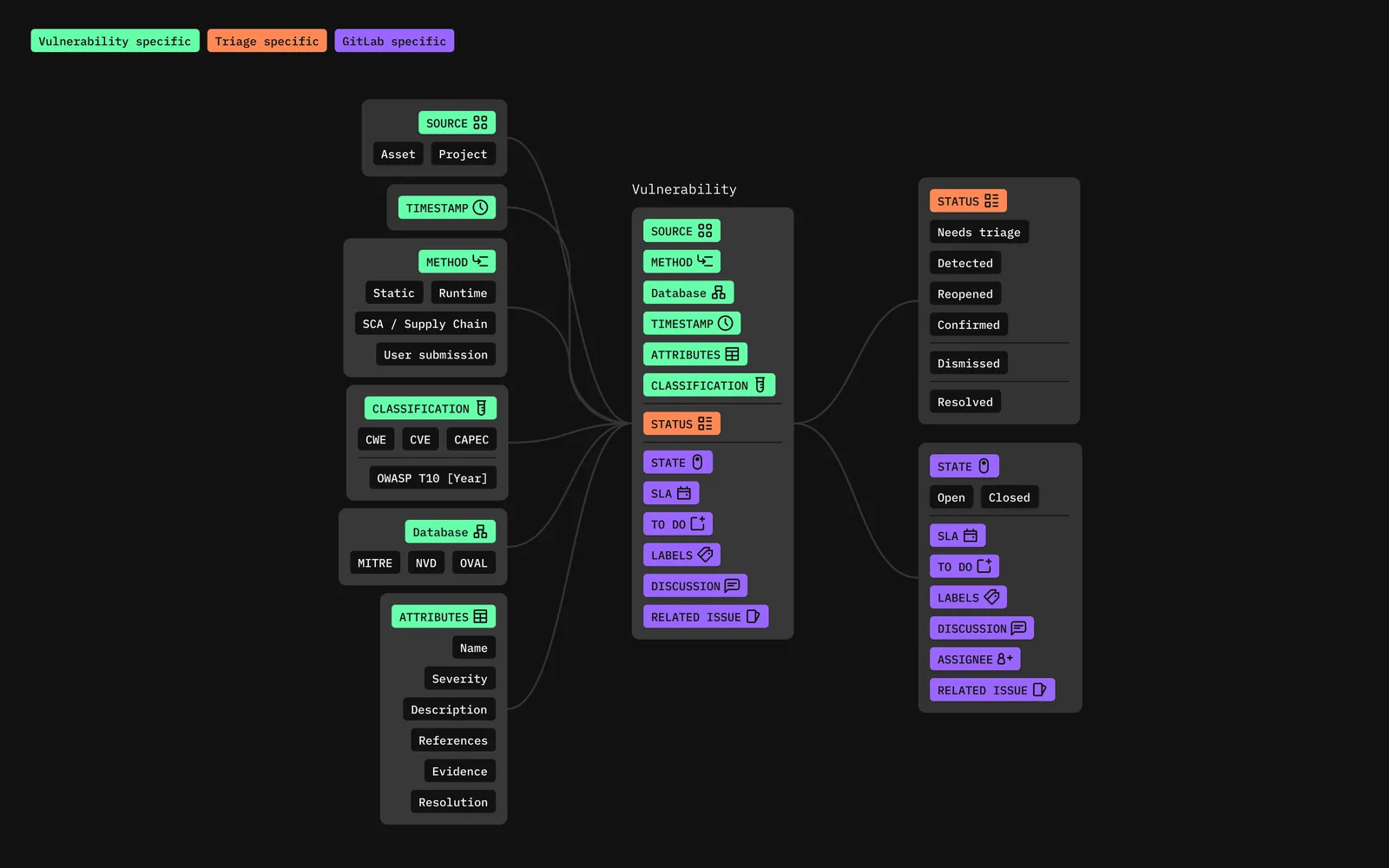
With that, design, engineering, and security worked out the move from a severity-first model to a policy-driven one. The detection model below is how findings reached a merge request before the change. The redesign changed how the merge request showed them. Detection stayed the same.
What blocks the merge, inline with the code.
I built an interactive prototype that showed only policy-violating findings in the merge request, inline with the code, each one saying which policy it violates, why it matters, and what to do. Everything else was folded away, still there if a reviewer wanted it.
The merge request on its Changes tab, before: every finding from every scanner, inline, by severity.
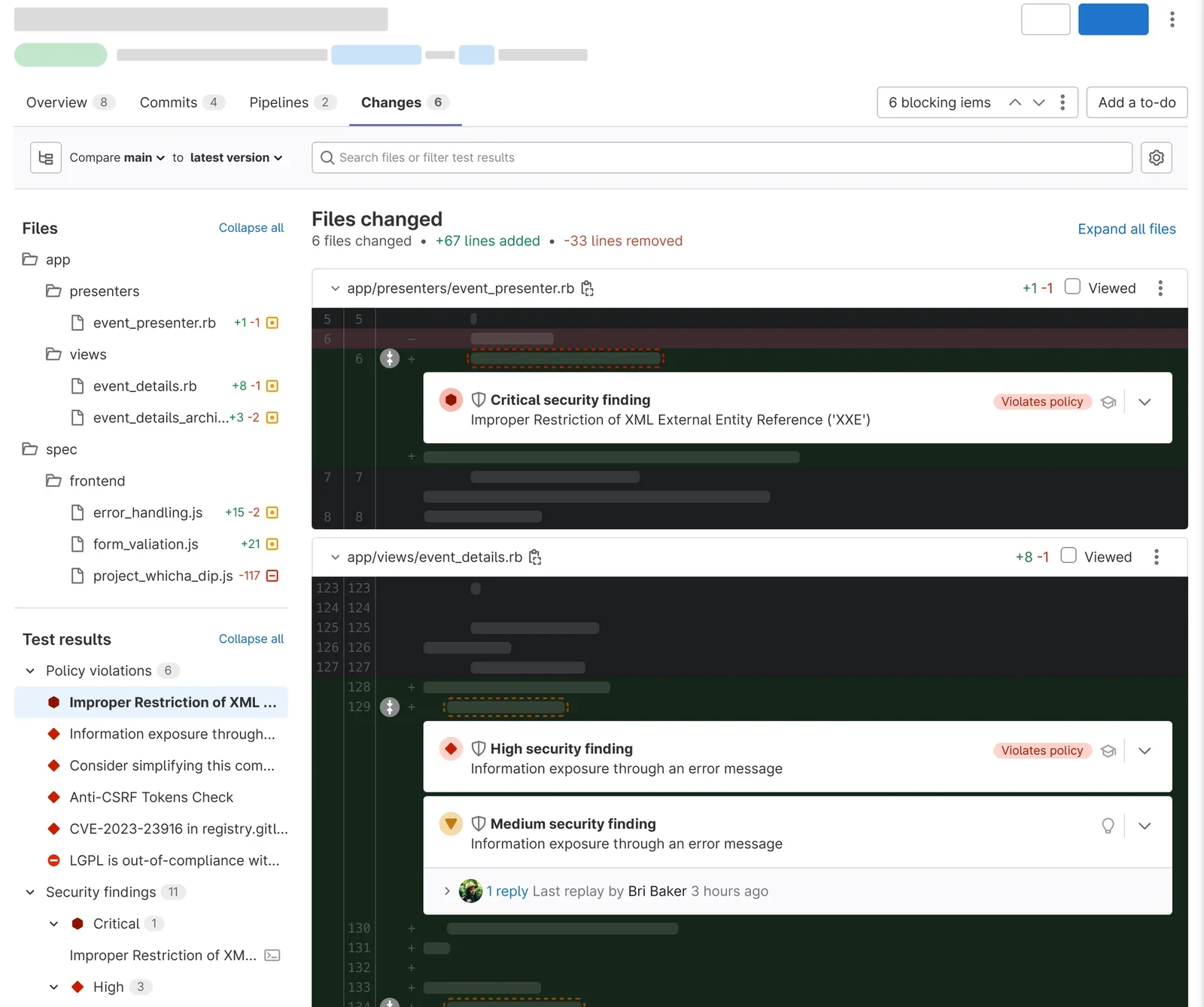
Six items block the merge. A reviewer needs to know which six.

A filter over the diff, so a reviewer can narrow what they see.

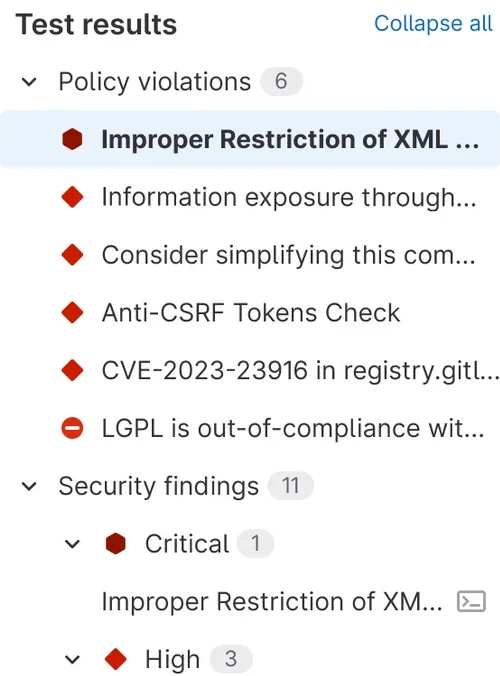
The test results, grouped: policy violations first, then security, license, and code quality findings, each with its count.
A finding on the line it was found on, marked as violating a policy.

Two findings on one line. One violates a policy and one does not, and the page treats them differently.
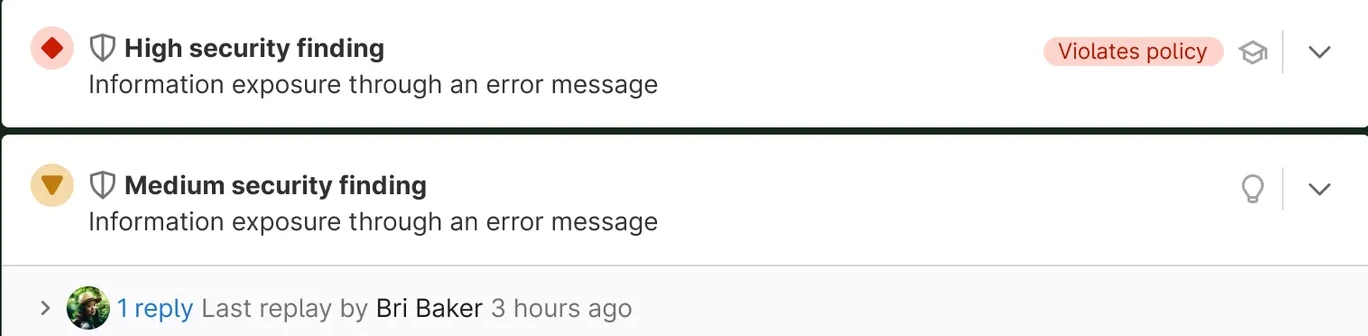
Laid flat: what a reviewer has to act on, and what they are just being told.
Back on the page, the filter does the work.
Filter by blocking items, security findings, license findings, or performance.
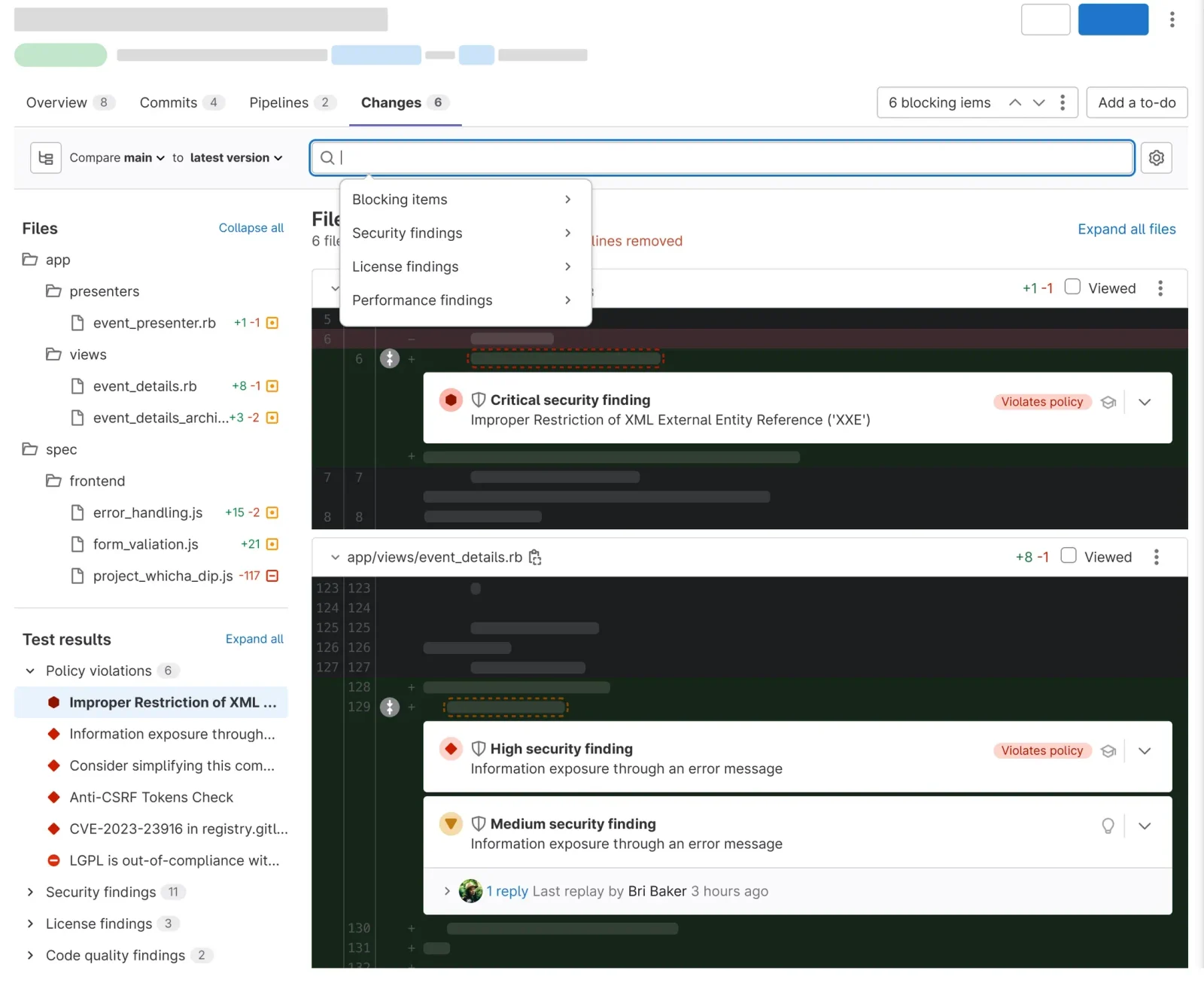
Blocking items: all of them, policy violations, or unresolved threads.
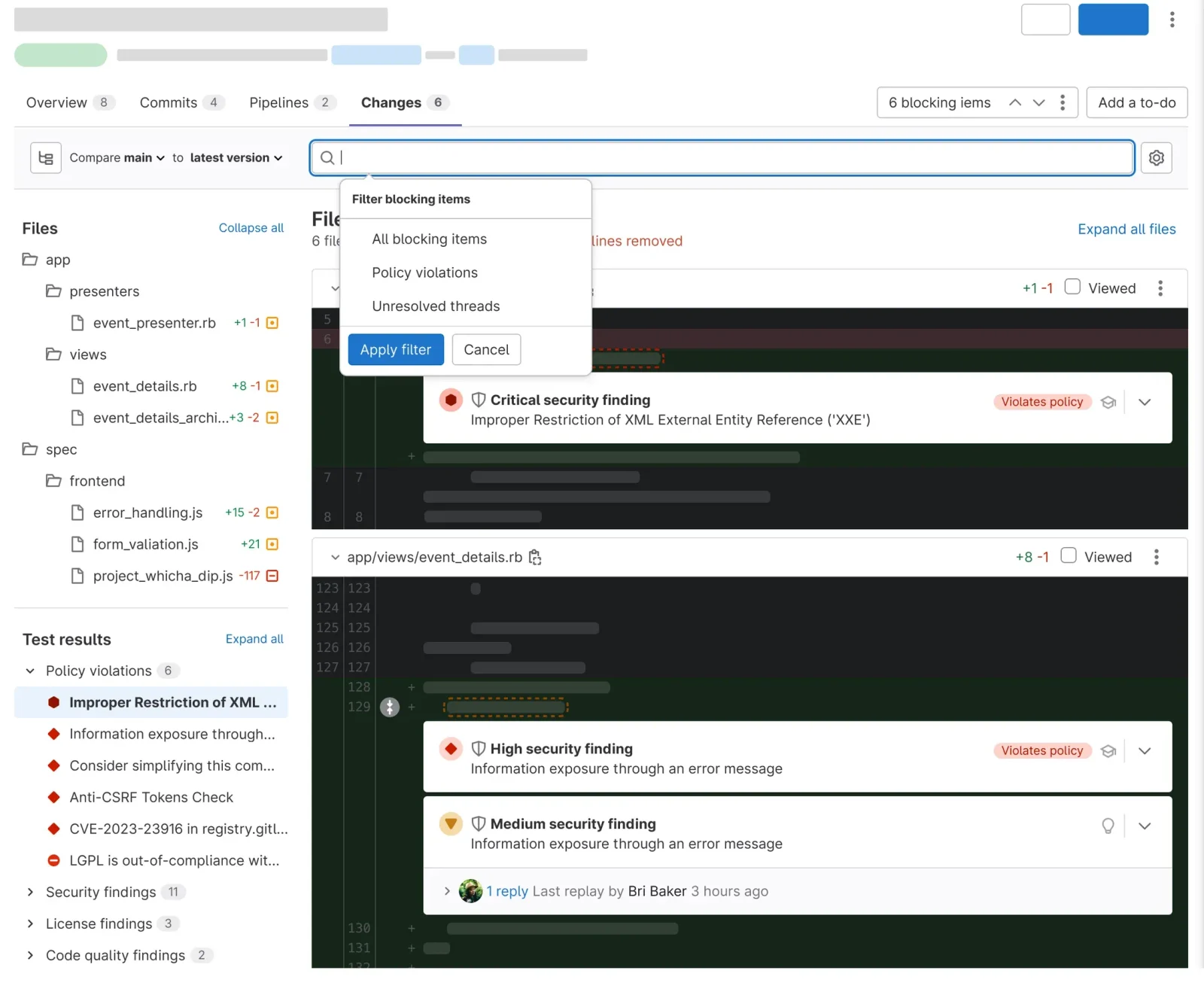
Filtered to policy violations, the page shows the six that violate a policy out of sixteen, and the rest of the diff is code.
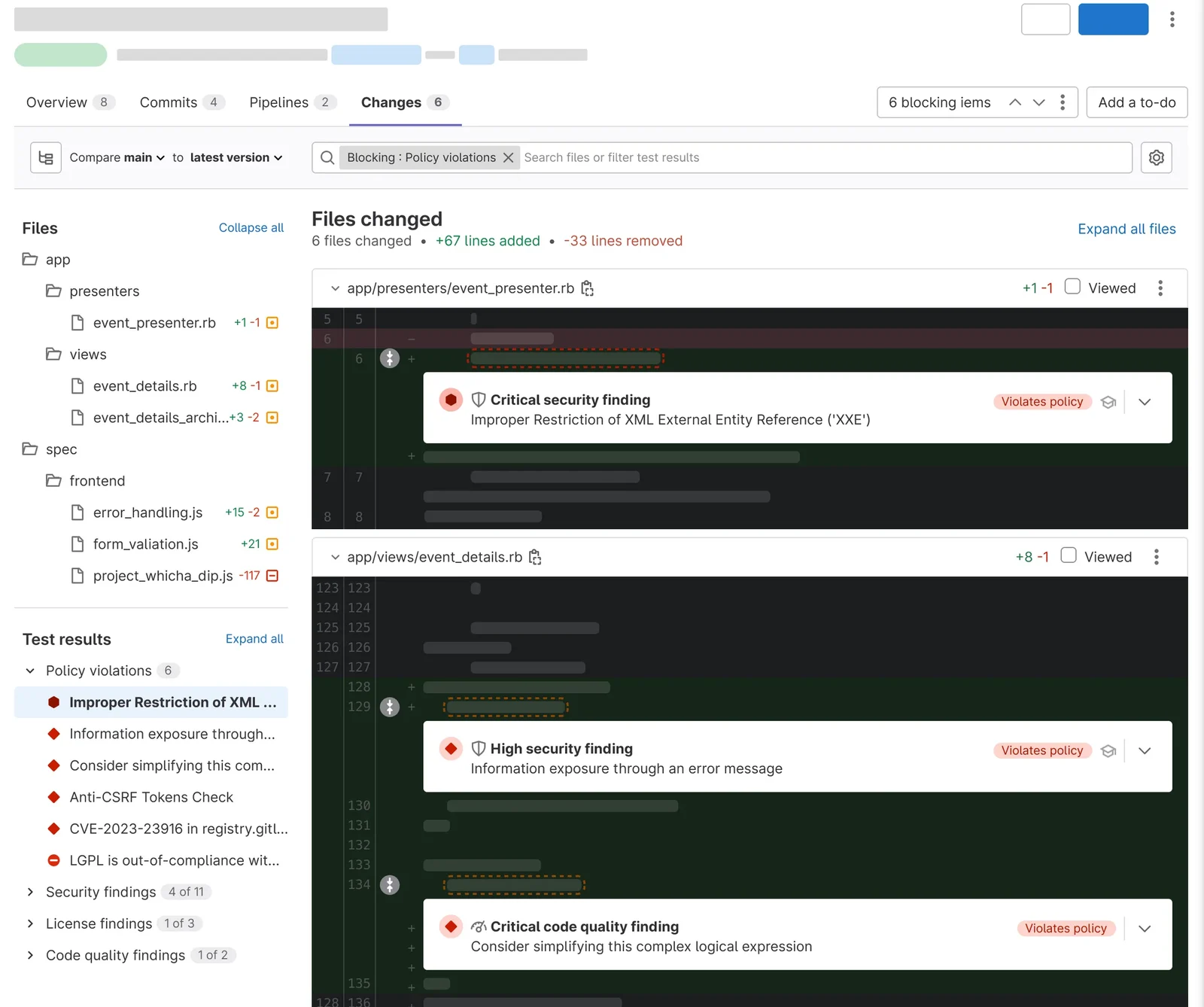
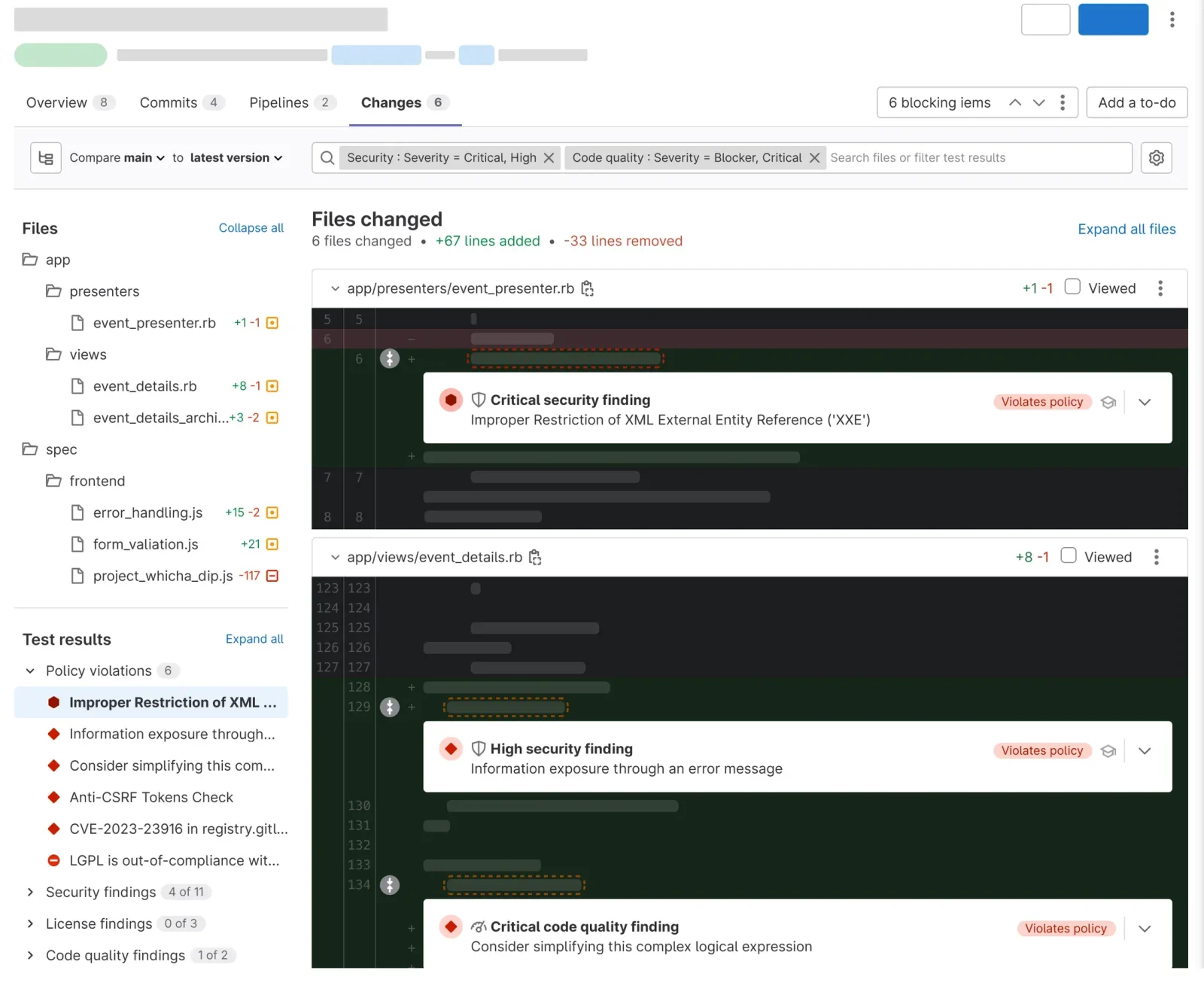
Severity is still available as a filter, for the teams that asked for it.
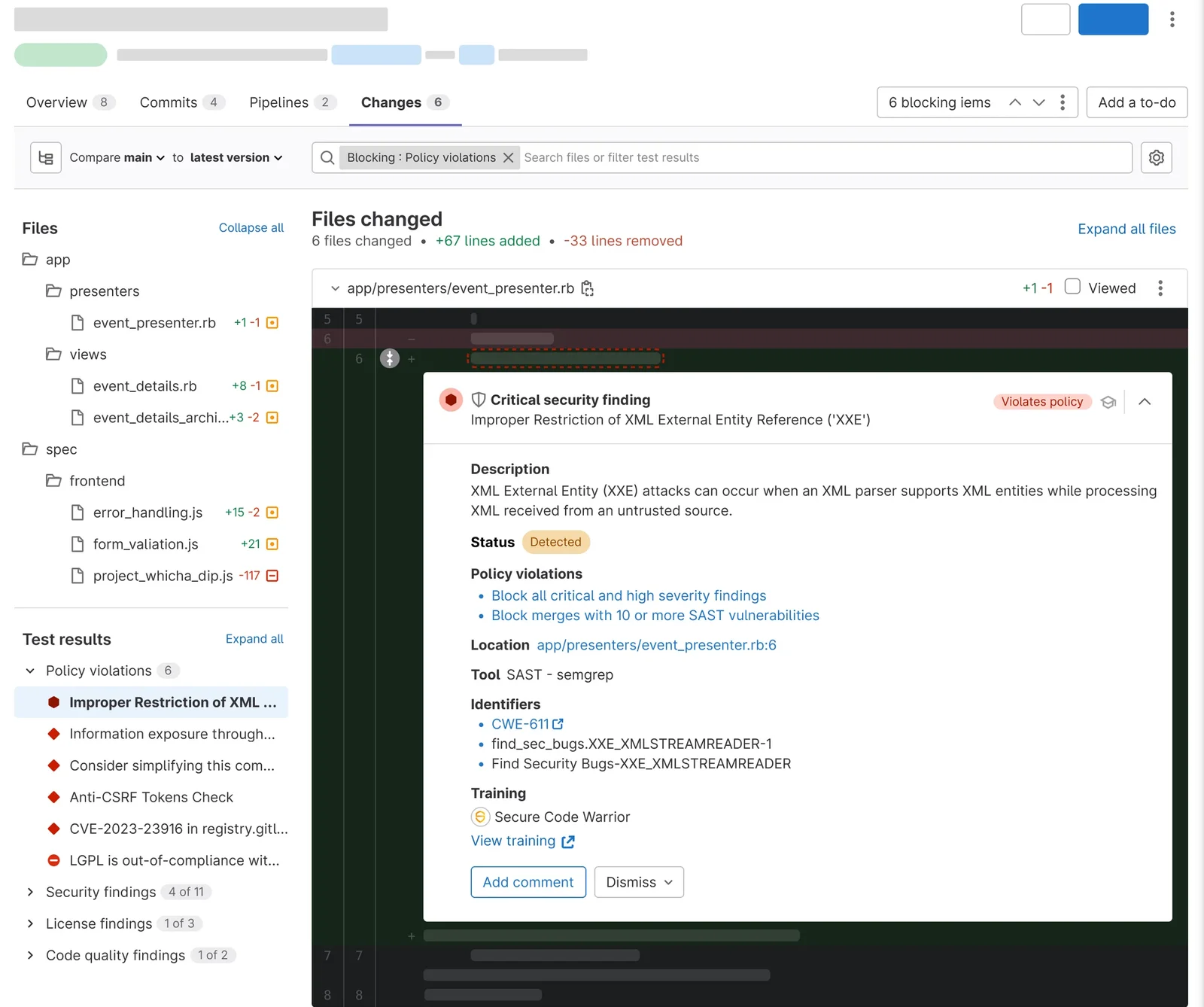
A finding, opened: the description, the policies it violates, where it is, which tool found it, its identifiers, and training.
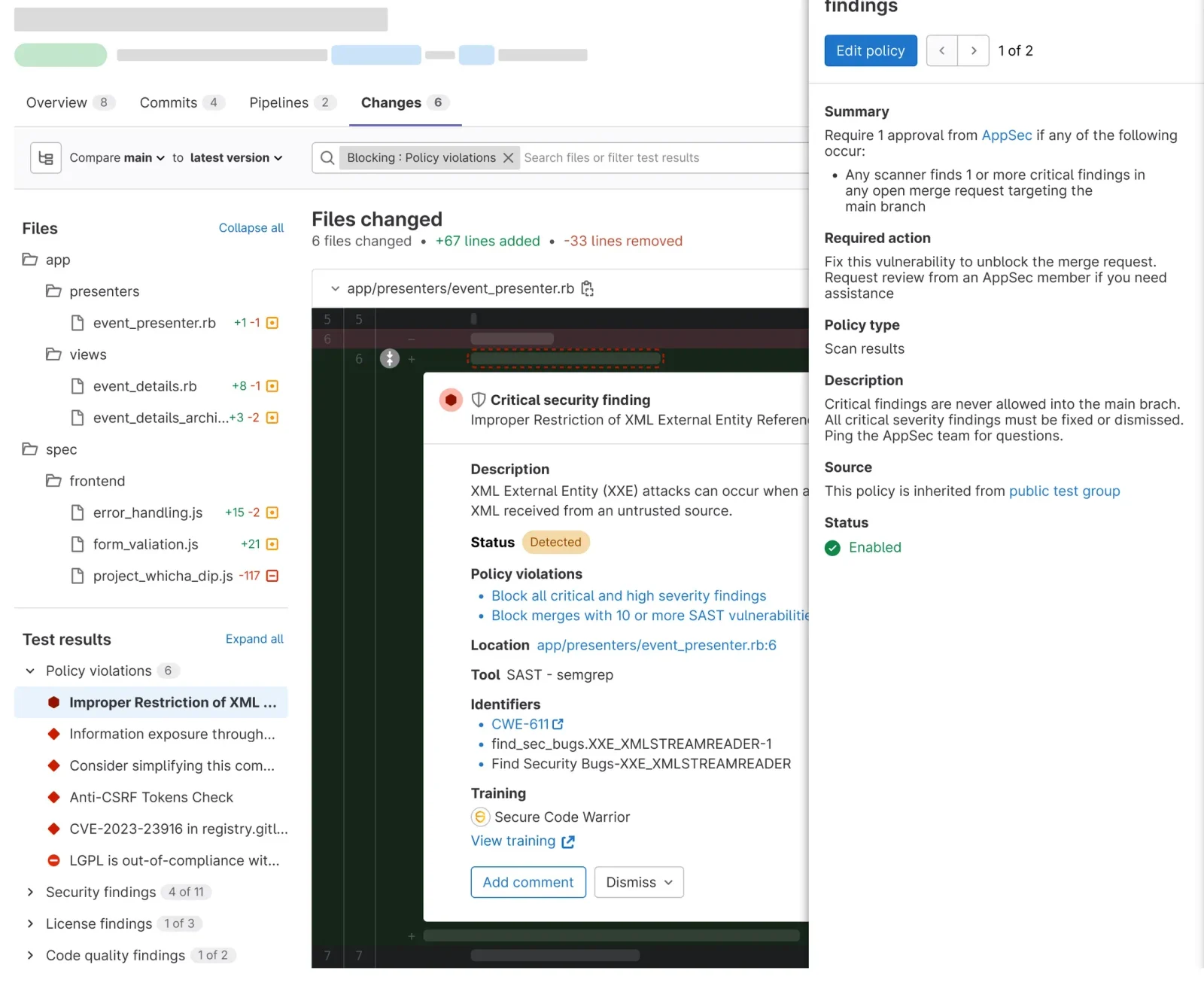
And the policy itself, in a drawer: what it requires, what to do, and where it is inherited from.
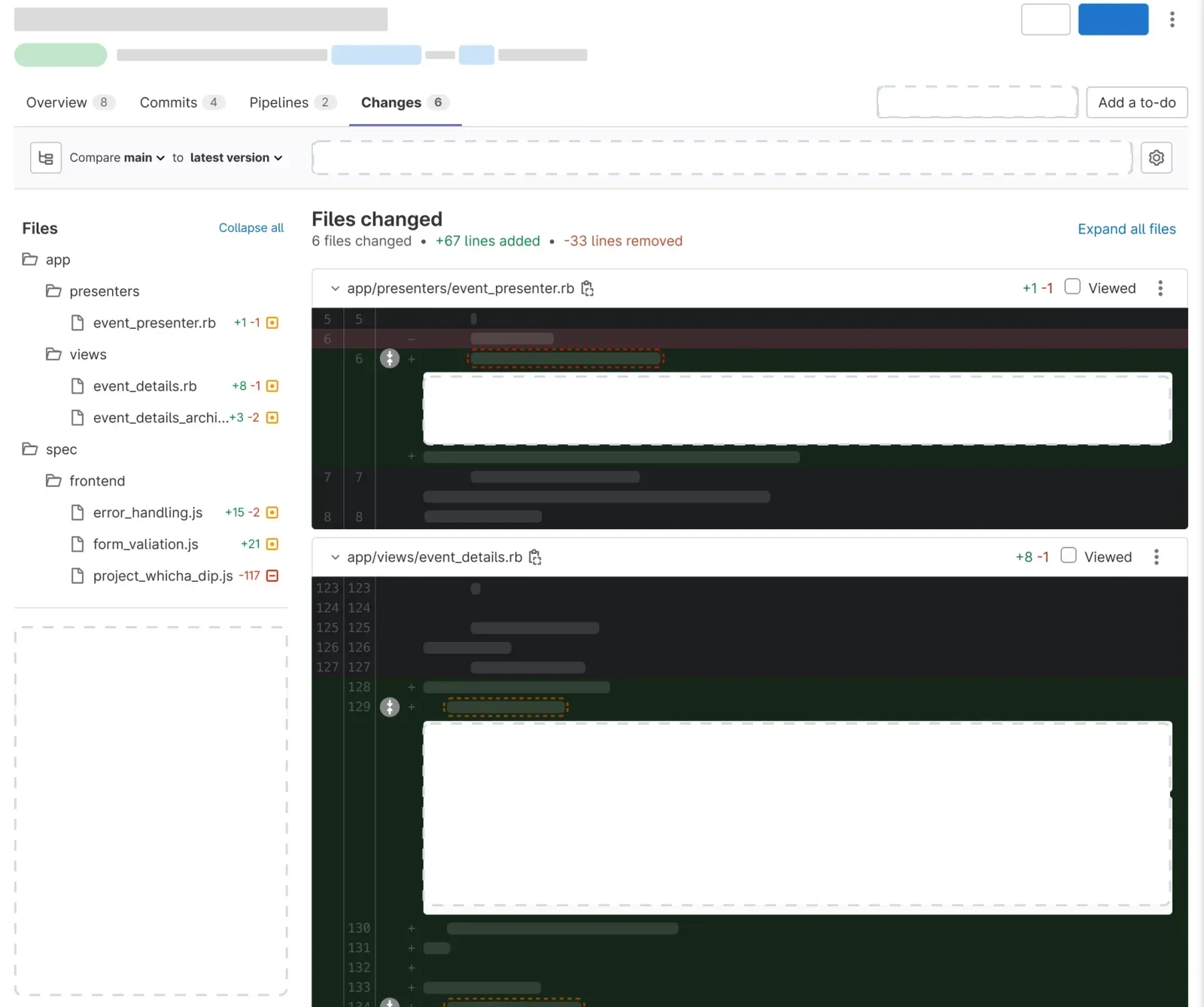
The merge request’s Changes tab, cropped past GitLab’s sidebar and breadcrumb, tips into an isometric view and five parts lift off it one at a time, leaving empty slots behind: the six blocking items control, the filter bar, the test results panel, one inline finding, and a pair of inline findings. The page falls away and the parts settle flat in a column, then drop back in. The page then changes state: the filter menu opens with blocking items, security findings, license findings, and performance findings; the blocking items submenu offers all, policy violations, and unresolved threads; filtered to policy violations, the test results read security findings 4 of 11, license findings 1 of 3, code quality findings 1 of 2; a severity filter shows security severity critical and high; a finding expands to show its description, status, policy violations, location, tool, identifiers, and training; and a drawer opens on the right with the policy, block all critical and high severity findings, its summary, required action, type, description, source, and status.
Remote testing showed that filtering by policy cut the overload. Developers focused on the critical issues, and security teams enforced compliance more effectively. On feedback, we added sorting by severity as an option. In-person testing with GitLab’s own engineering teams showed a clear drop in review time, and business-critical vulnerabilities came out on top every time.
Showing less information improved security.
Up to 60% fewer findings in a merge request.
- Fewer findings per merge request, at most
- 60%
- Less time reviewing security findings
- 35%
- Business-critical vulnerabilities hidden by the UI
- 0
Both numbers are internal benchmarks. The cap engineering had planned would have hidden findings at random. With policy violations first, a business-critical vulnerability always surfaced. Developers and security teams said the new system was easier to use and more effective than sorting by severity.
Developers do not need to see every finding. They need to see the ones that matter.
The other lesson was about design and engineering working together. The planned cap would have hidden dangerous vulnerabilities by accident. Working closely with the engineers and the security teams is what kept that from happening.
Next: AI-powered recommendations, remediation steps suggested from the policy a finding violates, and letting teams customize their security policies dynamically.